Jump to content
View in the app

A better way to browse. Learn more.

Best Gothic Forums

A full-screen app on your home screen with push notifications, badges and more.

To install this app on iOS and iPadOS
  1. Tap the Share icon in Safari
  2. Scroll the menu and tap Add to Home Screen.
  3. Tap Add in the top-right corner.
To install this app on Android
  1. Tap the 3-dot menu (⋮) in the top-right corner of the browser.
  2. Tap Add to Home screen or Install app.
  3. Confirm by tapping Install.

Doroshnick

core_member_rank_1
  • Joined

  • Last visited

Doroshnick

core_group_3
  • Joined

  • Last visited

Обо Мне

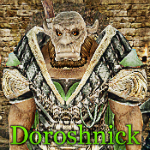
Вас приветсвует Вождь клана Северных Гор, или Ву-Марадар-Варох.


ui1LN2n.jpg


Я сильный, злобный и ужасный,

И для врагов своих опасный.

В бою неистовством известен,

Дерусь как зверь, дерусь из мести.


Топор мой-вот мой первый друг,

Моя подруга-вот, броня.

Мой вид внушает всем испуг,

И все боятся лишь меня.


Пусть хвастает любой герой,

Что орков бил он, и не раз.

Но убежит в штанах с дырой,

Пусть, блин, не гонит, гад, на нас!


А я наполню мясом рот,

Немного пива в рот налью,

А то бурчит уже живот.

Доем, и снова запою...


Автор неизвестен.

Configure browser push notifications

Chrome (Android)
  1. Tap the lock icon next to the address bar.
  2. Tap Permissions → Notifications.
  3. Adjust your preference.
Chrome (Desktop)
  1. Click the padlock icon in the address bar.
  2. Select Site settings.
  3. Find Notifications and adjust your preference.